How to use the Fruit Wheel
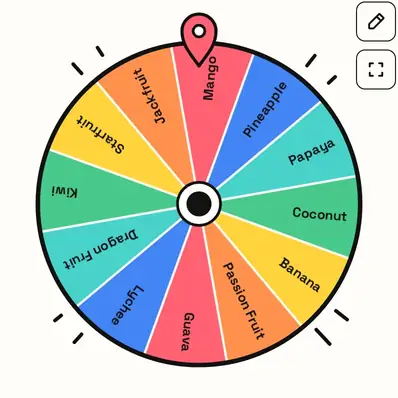
The Fruit Wheel picks a fruit for snacks, lessons, smoothies and games. Here's what's on it and how to use it.
Quick start
- Start with All, or pick Tropical, Berries or Common.
- Spin. The wheel lands on one fruit.
- Taste it, draw it, or use it in a game.
- Remove & spin again to try something different next time.
Pick a list
Choose All, Tropical, Berries or Common. Tropical goes from mango to dragon fruit; Common sticks to fruit you'll find in any shop.

Ways to use it
- Try-a-new-fruit challenge for kids.
- Smoothie roulette: spin two and blend them.
- Classroom vocabulary or drawing warm-ups.
- Shopping list inspiration.
Your fruit
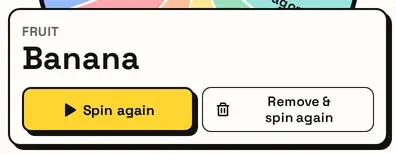
The card shows the fruit. Remove & spin again takes it off, perfect for picking two or three for a fruit salad.
Great for
- Choosing a snack
- Trying a new fruit each week
- Still-life drawing practice
- Classroom lessons about food and plants
- Smoothie ingredient games
- Alphabet and spelling games
Customize everything else
This page uses the same wheel as the homepage, so all the usual options work here too. The full wheel guide explains each one with pictures:
FAQ
How many fruits are on the wheel?
Eighteen in the All list and twelve in each of the others. Add more any time.
Can I spin only tropical fruits?
Yes: choose Tropical above the wheel.
Can I add my favourite fruit?
Of course. Add any fruit, even ones from your local market, and it gets its own slice.
Is this good for kids?
Yes. It's a fun way to choose a snack or learn fruit names.