How to use the Random Team Generator
The Random Team Generator splits a list of people into fair, random teams. Here's how to add names, choose the split and share the teams.
Quick start
- Paste or type the names — one per line.
- Choose either the number of teams or how many people should be in each team.
- Select Make teams. Names are shuffled securely and dealt out evenly.
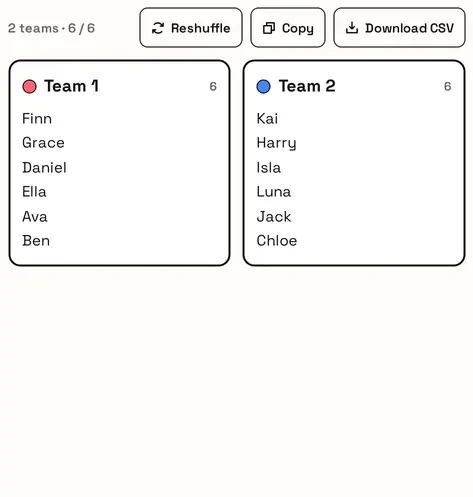
- Reshuffle for a new split, or copy and download the result.
Add people and choose the split
Paste the names, one per line. Then split by Number of teams (for example 2) or People per team (for example 4). The page tells you how many teams that makes before you press Make teams.

Your teams
Names are shuffled securely and dealt into teams as evenly as possible. Not happy? Reshuffle makes a fresh split from the same names.
Great for
- Splitting a class into project groups
- Picking sides for sports and PE
- Breakout rooms for workshops
- Quiz and trivia night teams
- Pairing people for code reviews or study buddies
Prefer a wheel?
Picking one person at a time instead of whole teams? Use a wheel.
FAQ
Are the teams really random?
Yes. Every possible arrangement is equally likely before teams are dealt out.
What happens with an odd number of people?
Teams stay as even as possible — sizes differ by at most one.
Can I keep certain people apart?
Not yet. For now, reshuffle until you're happy, or split those people into separate lists.
Can I export the teams?
Copy them as text or download a CSV file you can open in any spreadsheet.
Is my list saved?
Your names stay in your browser on this device. Nothing is uploaded.
How many names can I split?
Up to 500 at a time. For more, split your list into two batches.