How to use the What's for Dinner?
What's for Dinner? picks tonight's meal so nobody has to. Here's how to match it to your evening and plan the week.
Quick start
- Start with All Dinners, or pick Quick Dinner, Takeout, Family Dinner or Comfort Food.
- Cross off anything you're not in the mood for, or add tonight's real options.
- Spin. The wheel lands on dinner tonight, chosen at random before it starts turning.
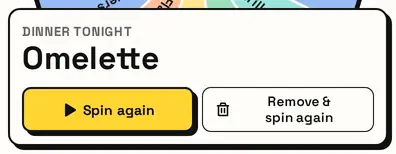
- Not tonight? Press Remove & spin again and the wheel picks something else.
Match it to tonight
Choose All Dinners, Quick Dinner (on the table fast), Takeout, Family Dinner or Comfort Food. The wheel reloads with dinners that fit.

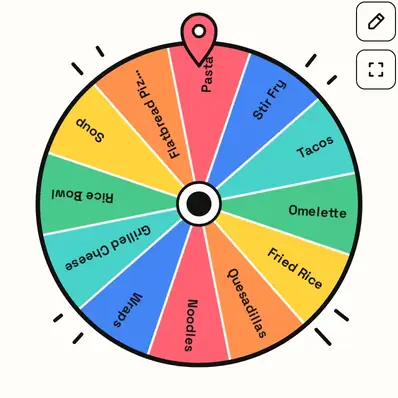
Add your house favourites
Add the meals your household actually makes, and even Leftovers night, so the wheel picks from real options.
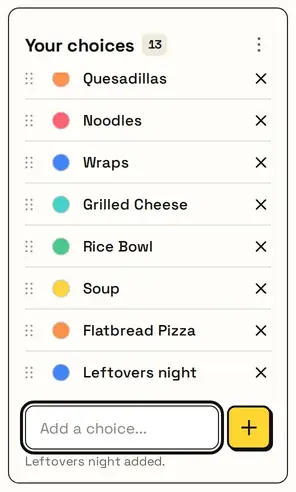
Switching lists asks first, so your additions are never replaced by accident. Reset brings back the list you picked.
Decide and go
The card shows tonight's dinner. Planning the week? Use Remove & spin again five times for five different dinners.
Great for
- Weeknights when you're too tired to choose
- Families who can't agree on a meal
- Couples stuck in the 'you pick' loop
- Breaking out of the same few dinners
- Deciding between cooking and ordering in
- Planning tomorrow's dinner tonight
Customize everything else
This page uses the same wheel as the homepage, so all the usual options work here too. The full wheel guide explains each one with pictures:
FAQ
How do I decide what's for dinner?
Pick a dinner list, take off anything you don't want tonight, and spin. The wheel picks one meal at random.
Can I add my own dinner ideas?
Yes. Type them in or paste a list. You can also remove any meal you don't want.
What if we don't like the result?
Press Remove & spin again to take that dinner off the wheel and spin for another.
Does it give recipes?
No, it just helps you choose. Once you've decided, cook or order the way you normally would.