How to use the Fast Food Wheel
The Fast Food Wheel picks what to grab on the go. Here's how to choose the craving and add your local spots.
Quick start
- Start with Classic, or switch to Chicken or Late Night.
- Add your favourite local spots by name if you like, and remove what you don't want.
- Spin. The wheel picks a fast food option at random before it starts turning.
- Not craving it? Remove & spin again and go for the next pick.
Choose the craving
Choose Classic (burgers, fries, hot dogs), Chicken (wings, tenders, nuggets) or Late Night (the best after-midnight bites).

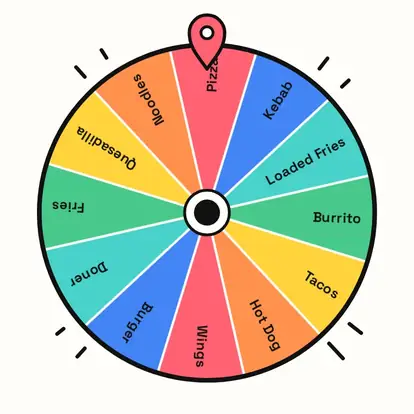
Add your local favourites
Add the places and orders you actually have nearby, like your local burger van, so the wheel picks something you can get tonight.
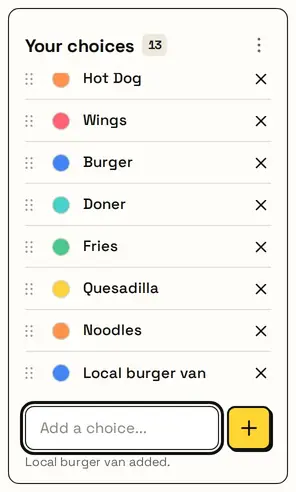
Switching lists asks first, so your additions are never replaced by accident. Reset brings back the list you picked.
Decide and go
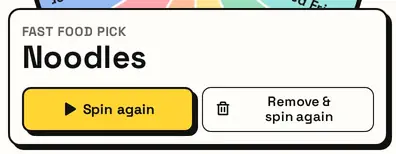
The card shows your fast food pick. Not that? Remove & spin again rules it out and spins again.
Great for
- Road trips and quick stops
- Late-night cravings after an event
- Lunch breaks with a short window
- Game-day food runs for the group
- Choosing a drive-thru with friends
- Fast food roulette for a bit of fun
Customize everything else
This page uses the same wheel as the homepage, so all the usual options work here too. The full wheel guide explains each one with pictures:
FAQ
Can I add actual restaurants to the wheel?
Yes. The starting lists use generic food types, but you can type in any places you like.
What's on the Late Night list?
Food that's easy to grab late, like pizza, kebab, burritos, wings, loaded fries and noodles.
Is every option equally likely?
Yes. Each option on the wheel has the same chance.
How do I spin again without an option?
Press Remove & spin again. That option comes off the wheel and it spins straight away.