How to use the Yes or No Wheel
The Yes or No Wheel gives a fair 50/50 answer in one spin. Here's how to change the answers and the number of slices.
Quick start
- Think of a yes-or-no question.
- Select Spin the wheel. Yes or No is chosen at random before the animation begins.
- The wheel lands on the answer and shows it in the result card.
- Want different words? Select Edit labels to change Yes and No or the number of slices.
A true 50/50
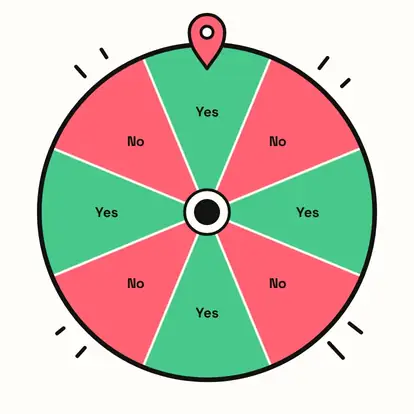
Yes and No alternate around the wheel in equal numbers, so each answer has exactly half the chance. The pick is made securely before the wheel moves; the slices just make it fun to watch.
Change the answers
Press Edit labels to rename the two answers, for example Heads and Tails, Stay and Go, or Pizza and Tacos. Pick 2, 4 or 8 slices; the odds stay 50/50 whichever you choose.

Reset to Yes / No brings back the original answers.
The answer
The answer appears in large type. Spin again for best of three, or use it to settle the question for good.

Great for
- Breaking a tie when you can't decide
- Party games and dares
- Deciding whether to order in tonight
- Quick classroom polls for fun
- Making a small decision feel less serious
Customize everything else
This page uses the same wheel as the homepage, so all the usual options work here too. The full wheel guide explains each one with pictures:
FAQ
Is it really 50/50?
Yes. The answer is picked with your browser's cryptographic random number generator, and Yes and No always have the same number of slices.
Can I change Yes and No?
Select Edit labels under the wheel to use any two answers.
Can I add Maybe?
This wheel is for two answers. For three or more, use the Decision Wheel.
Does it remember my labels?
Yes, on this device. Reset brings back Yes and No.