How to use the Skin Color Wheel
The Skin Color Wheel picks a skin tone from an artist's palette for character design. Here's how the palette works.
Quick start
- Start with Mixed, or choose Natural Tones or Fantasy.
- Spin to land on a tone, shown as a swatch you can match in your art.
- Use it for character sheets, illustrations or game avatars.
- Rename or add tones to fit your own palette.
An art palette
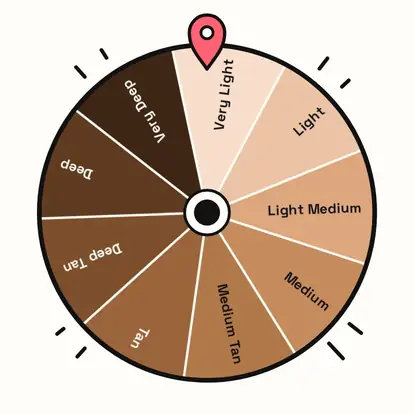
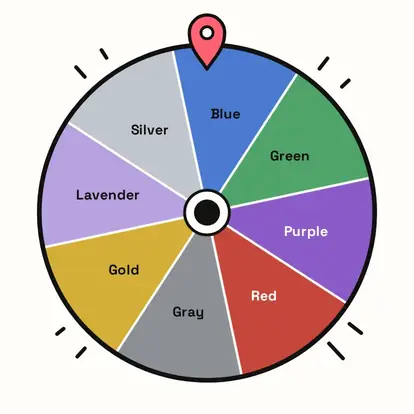
Natural Tones runs from very light to very deep, described only by lightness and warmth, like a paint chart. Fantasy adds blue, green, purple, red, gray, gold, lavender and silver for non-human characters. Mixed has both.
Match your own palette
Rename tones to match the paints or brushes you use, or add your own. Every slice is shown in its real color, so the wheel works as a swatch reference too.
Use the result
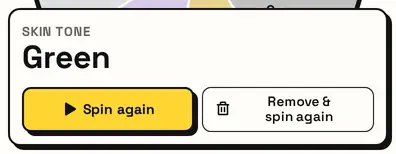
The card names the tone. Pair it with the Hair Color and Eye Color wheels to design a complete character.
Great for
- Character design and OCs
- Illustration and comics
- Diverse cast planning for stories
- Game and avatar creation
- Figure and model painting
- Fantasy creature design
Customize everything else
This page uses the same wheel as the homepage, so all the usual options work here too. The full wheel guide explains each one with pictures:
FAQ
What do the tone names mean?
They describe how light or deep a color is, like on a paint chart.
Is there a palette for fantasy characters?
Yes. Choose Fantasy for blue, green, purple and other tones.
Can I use my own color names?
Yes. Rename or add tones in the list.
What is this wheel for?
Choosing a color for character art, games and stories.