How to use the Element Wheel
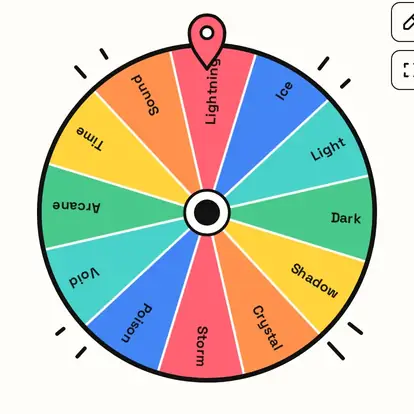
The Element Wheel picks a power, a magic type or a theme for characters and games. Here's how the lists work and how to use the result.
Quick start
- Start with Mixed, or pick Classic, Fantasy or Nature.
- Spin to land on an element.
- Give it to a character as their power, or use it as a theme.
- Spin again to give a rival an opposing element.
Pick a set of elements
Choose Mixed, Classic (fire, water, earth, air, spirit), Fantasy or Nature. These are creative elements, not the periodic table.

Ideas
- Give a character their power.
- Spin twice for a hero and a rival, then imagine the clash.
- Theme a level, a drawing or a story.
- Tabletop games: pick a spell school.
Your element
The card shows the element. Remove & spin again gives each character a different one.

Great for
- Character powers and magic types
- Fantasy writing and world-building
- Tabletop and video game ideas
- Drawing themes
- Team names for games
- Elemental challenges
Customize everything else
This page uses the same wheel as the homepage, so all the usual options work here too. The full wheel guide explains each one with pictures:
FAQ
Is this the periodic table?
No. It's for creative elements like fire, water and lightning.
Can I add my own element?
Yes. Type it into the list.
What are the classic elements?
Fire, water, earth and air, plus spirit.
Can I use it for a game?
Yes. Spin to decide a character's power or a level's theme.