How to use the Date Night Ideas
Date Night Ideas picks what to do together tonight. Here's how to match it to your mood and budget and add your own ideas.
Quick start
- Start with All Ideas, or pick At Home, Going Out, Budget or Relaxing.
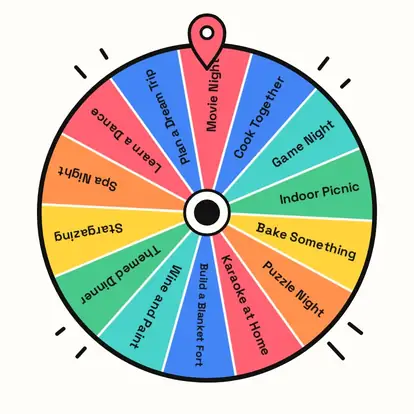
- Spin. The wheel picks tonight's date.
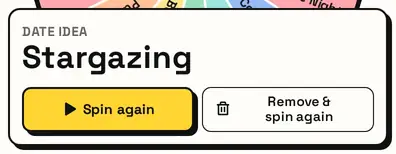
- Not feeling it? Remove & spin again.
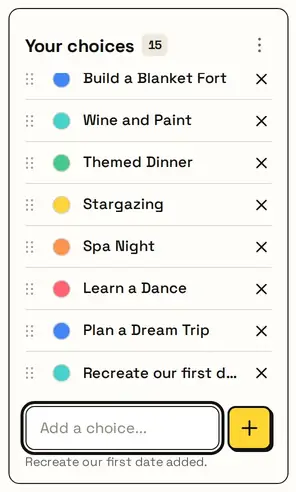
- Add your own favourites so they come up too.
Match the night
Choose All Ideas, At Home, Going Out, Budget or Relaxing. Budget ideas cost little or nothing; Relaxing is for low-energy evenings.

Add your own ideas
Add the dates only the two of you would think of. Click any idea to edit it. Your list is saved on this device.
Tonight's date
The card shows the idea. Plan a month of dates with Remove & spin again, so every week is different.
Great for
- Weekly date nights
- Anniversary planning
- Breaking a routine
- Budget-friendly dates
- Rainy-day dates at home
- Couples' bucket lists
Customize everything else
This page uses the same wheel as the homepage, so all the usual options work here too. The full wheel guide explains each one with pictures:
FAQ
Can we add our own date ideas?
Yes. Type or paste them in; they're saved on this device.
Are there cheap date ideas?
Yes. Pick Budget for low-cost and free ideas.
Can we skip an idea we don't like?
Press Remove & spin again to take it off and pick another.
Does it book anything?
No. It just picks the idea; the planning is up to you.