How to use the This or That Wheel
The This or That Wheel asks quick two-way questions like Coffee or Tea. Here's how to pick a list, move through questions and add your own pairs.
Quick start
- Start with Mixed, or pick Fun, Food, Lifestyle or Classroom.
- Spin for a pair like Coffee or Tea.
- Everyone chooses and explains why.
- Press Next pair; pairs don't repeat until all have come up.
Pick a list
Pick Mixed, Fun, Food, Lifestyle or Classroom. Classroom pairs are written for students; Fun is all superpowers, dragons and daydreams.

Next and Skip
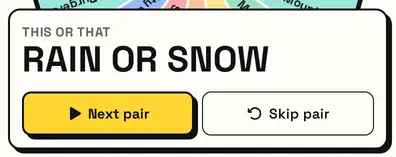
The card shows the pair. Everyone picks a side and says why. Next pair closes the card for the next spin; Skip pair instantly swaps it.
No repeats
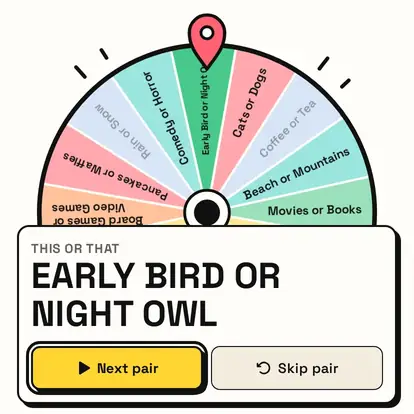
Pairs don't repeat until every pair has come up. Used pairs turn pale on the wheel, and the count under it shows how many are left.
Your own pairs
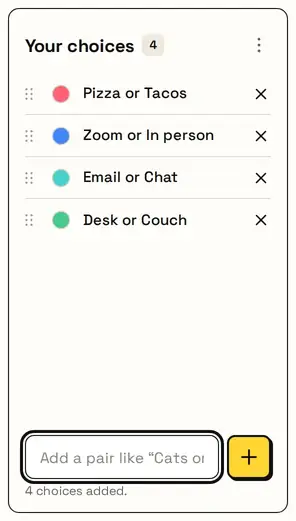
Press My pairs and add questions written as This or That, one per line, for example Zoom or In person for a team meeting.
Great for
- Icebreakers
- Classroom warm-ups
- Party games
- Team-building
- Getting to know you
- Stream chat polls
Customize everything else
This page uses the same wheel as the homepage, so all the usual options work here too. The full wheel guide explains each one with pictures:
FAQ
Will the same pair come up twice?
Not until every pair on the wheel has been used.
Can I add my own questions?
Yes. Write them as 'This or That' under My pairs.
Is there a classroom list?
Yes: choose Classroom above the wheel.
How is this different from Would You Rather?
This or That is quick two-word choices; Would You Rather uses longer scenarios.