How to use the Icebreaker Questions
Icebreaker Questions picks a conversation starter for new groups, teams and classes. Here's how to choose the right questions and run a round.
Quick start
- Pick who you're with: New Group, Friends, Work, Classroom or Funny.
- Spin. The wheel lands on a theme and gives you one question.
- Go round the group, or let one person answer and pass the turn on.
- Press Next question to keep going, or Skip question if it doesn't fit the room.
Pick who's playing
Choose New Group, Friends, Work, Classroom or Funny. Work questions stay professional; Classroom questions are written for students.

Spin for a category
The wheel picks a category within your list, such as Easy Openers, What If or Work, and the question comes from that category.
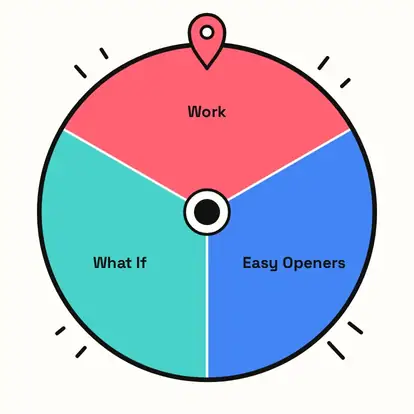
Play round after round
Each card shows one question for the next person to answer. Next question closes the card, ready for the next spin; Skip question swaps it without spinning. Questions don't repeat until all of them have come up.
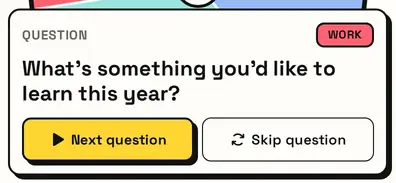
Running a meeting? Go fullscreen so everyone can read the question on the shared screen.
Great for
- The first five minutes of a meeting
- First day of class or a new term
- Workshops, training sessions and events
- Remote team calls
- Clubs, societies and volunteer groups
- Dinner parties with new faces
Customize everything else
This page uses the same wheel as the homepage, so all the usual options work here too. The full wheel guide explains each one with pictures:
FAQ
What makes a good icebreaker question?
One that's easy to answer, positive, and invites a short story. Everything here is designed that way.
Are these questions OK for work?
Yes. The Work set is professional, and every set avoids personal or sensitive topics.
Can I use it with students?
Yes. The Classroom set is written for students and teachers.
How many questions are there?
98 across seven themes, with no repeats until you've seen them all.