How to use the Classroom Spinner
The Classroom Spinner picks a student, group or task fairly in front of the class. Here's how to load your class and keep picks fair.
Quick start
- Replace the starter entries with your own: paste a whole list at once, one item per line.
- Spin on your classroom screen. The pick is made at random before the wheel moves.
- Press Remove & spin again so the same name or question doesn't come up twice.
- Go fullscreen so the whole room can see the wheel and the result.
Load your class
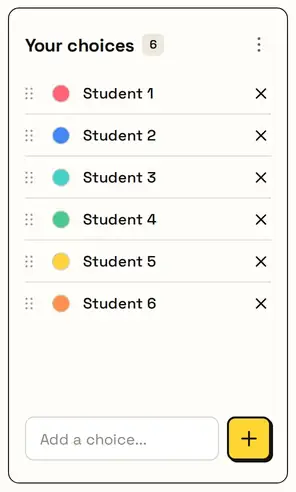
The wheel starts with placeholders. Clear them and paste your class list, one name per line. You can also use it for groups or tasks: Table 1, Table 2, and so on.

Fair, in front of everyone
Every name has the same chance, picked securely before the wheel turns, so students can see the pick is fair.


Everyone gets a turn
Remove & spin again takes the picked name off the wheel, so nobody is chosen twice until everyone has been. Reset brings the whole class back.

Great for
- Cold-calling students fairly
- Choosing who presents next
- Picking a review question
- Assigning groups or tables to a task
- Choosing a vocabulary word
- Deciding the order for reading aloud
Customize everything else
This page uses the same wheel as the homepage, so all the usual options work here too. The full wheel guide explains each one with pictures:
FAQ
Can I paste a class list?
Yes. Paste names or items, one per line, and they're all added at once.
How do I stop the same student being picked twice?
Press Remove & spin again after each pick.
Is my list saved?
Yes, on this device, so it's there next lesson. Nothing is uploaded.
Can I show it on a projector?
Yes. Use fullscreen to show just the title, wheel, Spin button and result.