How to use the Classroom Activity Wheel
The Classroom Activity Wheel picks a short whole-class activity when the lesson needs a change of pace. Here's how to choose a type and build your own toolkit.
Quick start
- Start with Mixed, or choose Learning, Games, Discussion or Creative.
- Spin to land on an activity.
- Run it with the class for five to fifteen minutes.
- Add your own favourites so they come up too.
Pick a type of activity
Choose Mixed, Learning, Games, Discussion or Creative. Most activities take five to fifteen minutes and need no equipment.

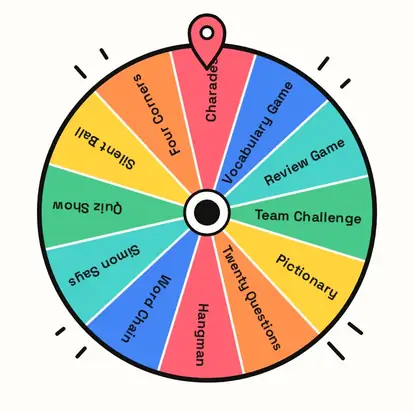
Build your toolkit
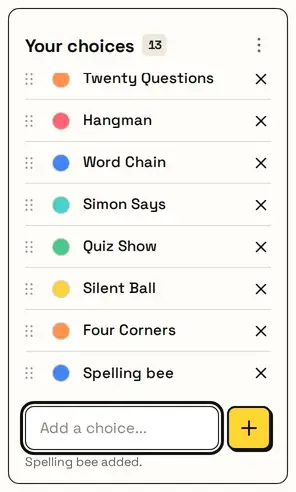
Add the activities your class loves, like a spelling bee, and they join the wheel. Your list is saved on this device.
Today's activity
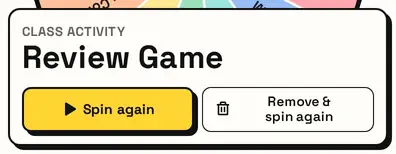
The card shows the class activity in large type. Remove & spin again keeps activities varied across the week.
Great for
- Lesson warm-ups
- End-of-lesson reviews
- Substitute teacher plans
- Friday fun sessions
- Revision before tests
- Rainy-day indoor time
Customize everything else
This page uses the same wheel as the homepage, so all the usual options work here too. The full wheel guide explains each one with pictures:
FAQ
How long do the activities take?
Most take five to fifteen minutes.
Can I add my own activities?
Yes. Type or paste them into the list.
Is there a list of games only?
Yes. Choose Games above the wheel.
Does it work for any subject?
Yes. The activities work with any topic.