How to use the US States Picker
The US States Picker spins the 50 states, with flags if you like. Here's how to filter by region, show flags and read the result.
Quick start
- The wheel starts with all 50 states. Tap a region to spin only the Northeast, Midwest, South or West.
- Edit the list like any wheel: remove states, add your own, or drag them into a new order.
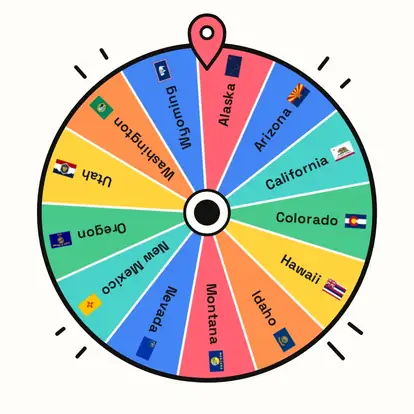
- Turn on State flags to show each state's own flag on its slice.
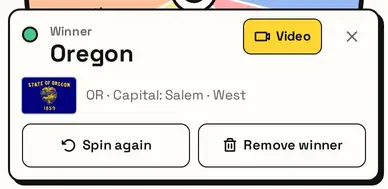
- Press Spin the wheel. The winner shows its flag, abbreviation, capital and region.
Pick a region
Choose All states or a region: Northeast, Midwest, South or West. The counts show how many states each has.

Show state flags
Turn on State flags and every slice shows its state flag, which is great for geography lessons and flag quizzes.
State facts
The result shows the state's flag, abbreviation, capital and region, which is handy for classroom quizzes.
Great for
- US geography and social studies lessons
- Picking a state for a road trip or report
- Learning state flags and capitals
- Road-trip games and trivia nights
- Choosing a state for a writing prompt
- Visiting every state once with No repeat
Customize everything else
This page uses the same wheel as the homepage, so all the usual options work here too. The full wheel guide explains each one with pictures:
FAQ
How many states are on the wheel?
All 50. Washington, D.C. and the territories aren't included because they aren't states, but you can add them yourself.
Can I spin just one region?
Yes. Tap Northeast, Midwest, South or West above the wheel. All states brings back all 50.
Can I show state flags?
Yes. Turn on State flags and each slice shows its own state flag. The winner's flag is always shown on the result.
Can I stop a state coming up again?
Turn on No repeat, or press Remove winner after a spin.
Where do the flags come from?
State flags are public symbols. The drawings come from the open-source us-state-flags package (ISC license), packed into one small image.