How to use the Music Genre Wheel
The Music Genre Wheel picks a genre to listen to, play or write in. Here's how to choose a list and use the result.
Quick start
- Start with Mixed, or pick Popular, Rock, Electronic or Classic.
- Spin. The wheel lands on one genre.
- Listen to it, write a song in it, or use it as a game rule.
- Remove & spin again to explore a new genre each time.
Pick a list
Choose Mixed, Popular, Rock, Electronic or Classic. Electronic goes from house to drum & bass; Classic covers jazz, blues, soul and more.


Ways to use it
- Discover something new: spin, then play a playlist in that genre.
- Songwriting challenge: write a verse in the genre you land on.
- Party DJ roulette: each round, a new genre.
- Music class: name three artists from the genre.
Your genre
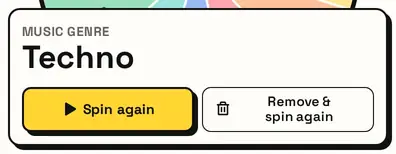
The card shows the genre. Remove & spin again rules it out for a run of different genres.
Great for
- Discovering new music
- Songwriting and production challenges
- Music class activities
- Playlist themes for parties
- Dance or lip-sync game rounds
- Radio and podcast segment ideas
Customize everything else
This page uses the same wheel as the homepage, so all the usual options work here too. The full wheel guide explains each one with pictures:
FAQ
Does it play music?
No, it picks a genre. Listen on whichever service you use.
Can I add more genres?
Yes. Add any genre or sub-genre you like, even very niche ones, by typing it into the list.
What's in the Classic list?
Long-standing styles like jazz, blues, soul, funk, swing and opera.
Can I use it for a songwriting challenge?
Yes. Spin a genre and write a short song in that style.