How to use the Anime Wheel
The Anime Wheel picks your next series from a genre list or your own watchlist. Here's how to use both.
Quick start
- Choose My list and paste your watchlist, one title per line.
- Or start with Popular, Action, Feel-Good or Classics.
- Spin to pick what to watch next.
- Not in the mood? Remove & spin again.
Pick a mood
Choose Popular, Action, Feel-Good or Classics. Feel-Good is for cosy, low-stress shows; Classics covers the series everyone mentions.


Your plan-to-watch list
Press My list and paste your plan-to-watch list, one title per line. It's saved on this device, and loading a genre list never erases it.
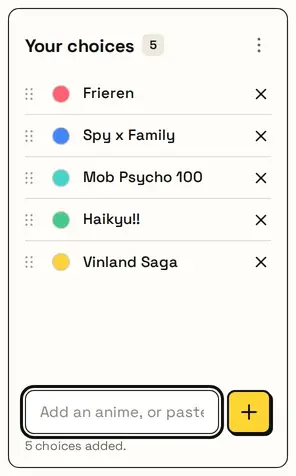
Your next series
The card shows the anime pick. Already watched it? Remove & spin again rules it out. This is an unofficial fan wheel; names belong to their owners.

Great for
- Clearing a long plan-to-watch list
- Picking a watch-party anime
- Trying a new genre
- Rewatching a classic
- Anime club picks
- Gift ideas for anime fans
Customize everything else
This page uses the same wheel as the homepage, so all the usual options work here too. The full wheel guide explains each one with pictures:
FAQ
Can I paste my own anime list?
Yes. Choose My list and paste titles, one per line.
Will picking a preset erase my list?
No. You'll be asked first, and your own list stays under My list.
Does it show where to watch?
No. It just picks a title from your list or ours.
Can I edit a title?
Yes. Click it in the list to change it.