How to use the Pokémon Wheel
The Pokémon Wheel picks a random Pokémon from all 1,025, or from one generation. Here's how the random sets and generations work.
Quick start
- Start with All, or choose a generation from the Generation menu.
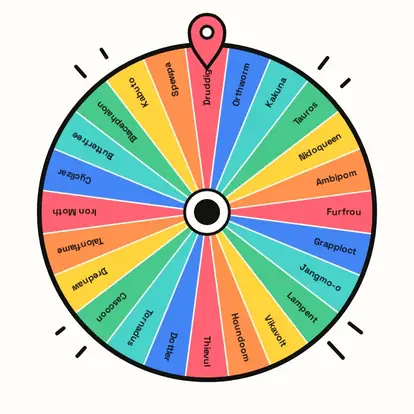
- The wheel shows 24 Pokémon drawn at random from that list; press New set for another 24.
- Spin to land on one Pokémon.
- Edit the wheel freely: add favourites or remove ones you've used.
A fresh set of 24
1,025 slices would be unreadable, so the wheel shows 24 Pokémon drawn at random from the whole list. New set draws a different 24, and every Pokémon has the same chance of being in a set.

Pick a generation
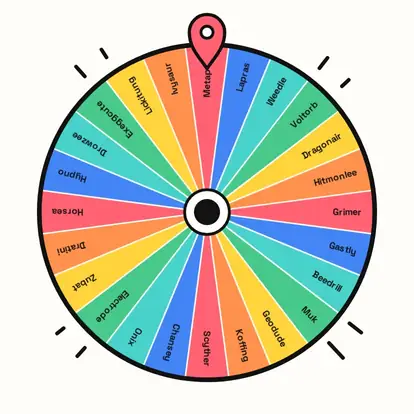
Use the Generation menu to spin only Gen 1, Gen 2, and so on, up to Gen 9: great for Nuzlocke-style challenges or quizzing on a favourite era.
Your Pokémon
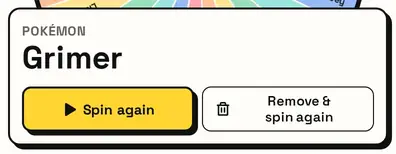
The card shows the Pokémon. Building a random team? Remove & spin again six times. This is an unofficial fan wheel; names belong to their owners.
Great for
- Random team and Nuzlocke challenges
- Drawing and fan-art prompts
- Pokémon trivia games
- Picking a Pokémon to collect next
- Classroom-friendly guessing games
- Streamer challenges
Customize everything else
This page uses the same wheel as the homepage, so all the usual options work here too. The full wheel guide explains each one with pictures:
FAQ
How many Pokémon are on the wheel?
All 1,025 species are in the lists; the wheel shows a random 24 at a time so names stay readable.
Can I spin just one generation?
Yes. Pick it from the Generation menu, Gen 1 to Gen 9.
Can I add my own Pokémon list?
Yes. Edit the wheel or paste your own list of names.
Does it show pictures?
No. The wheel uses Pokémon names only, no artwork.